




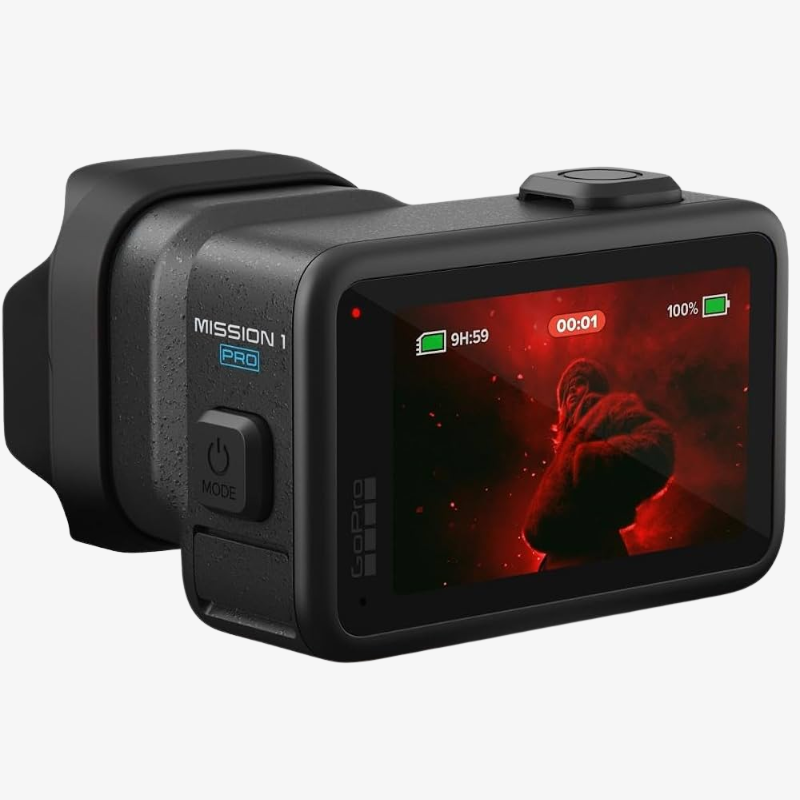
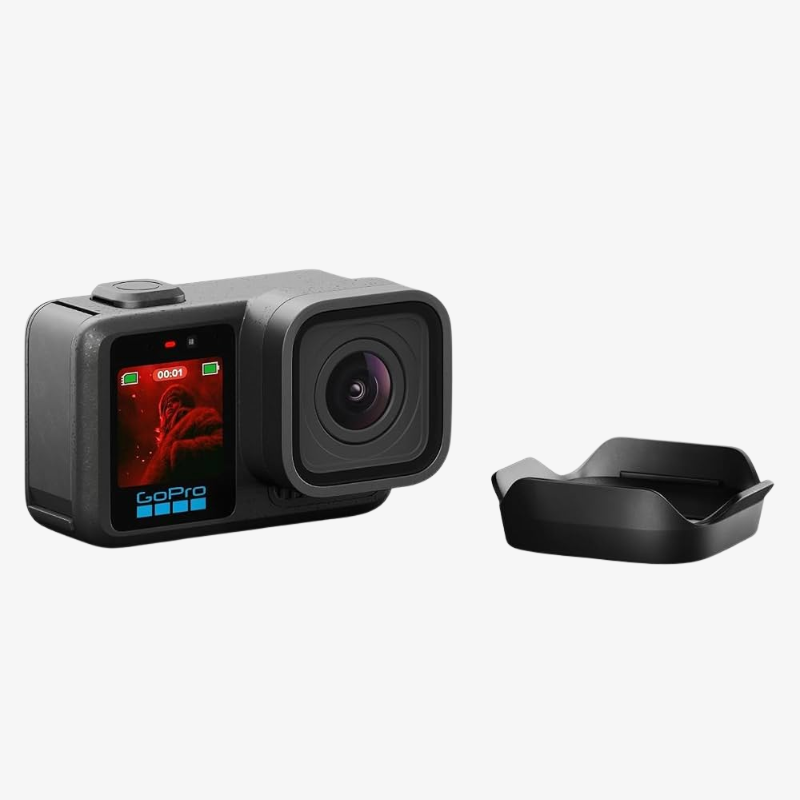
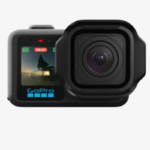
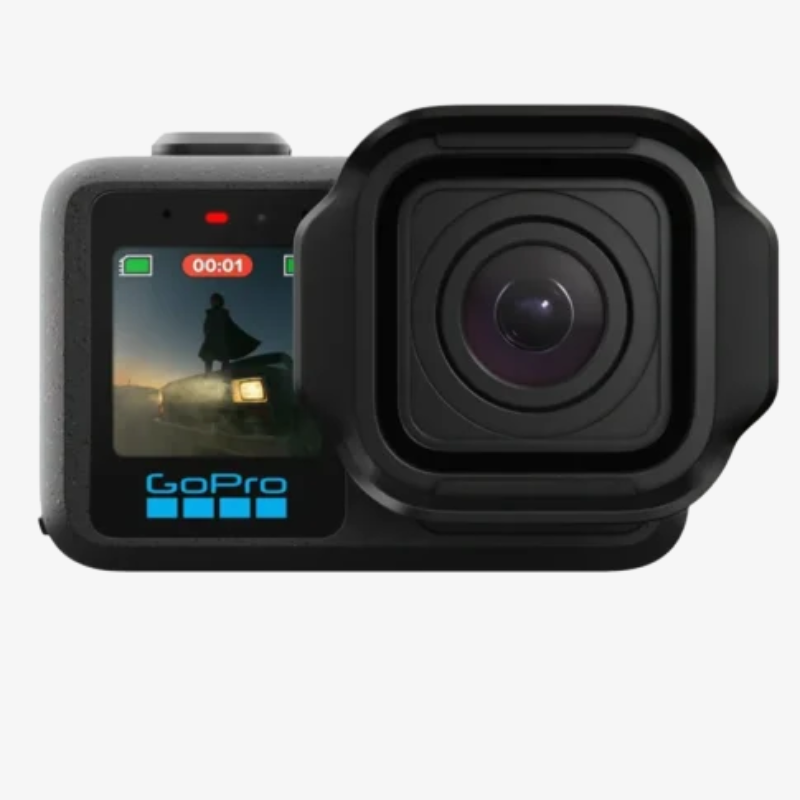
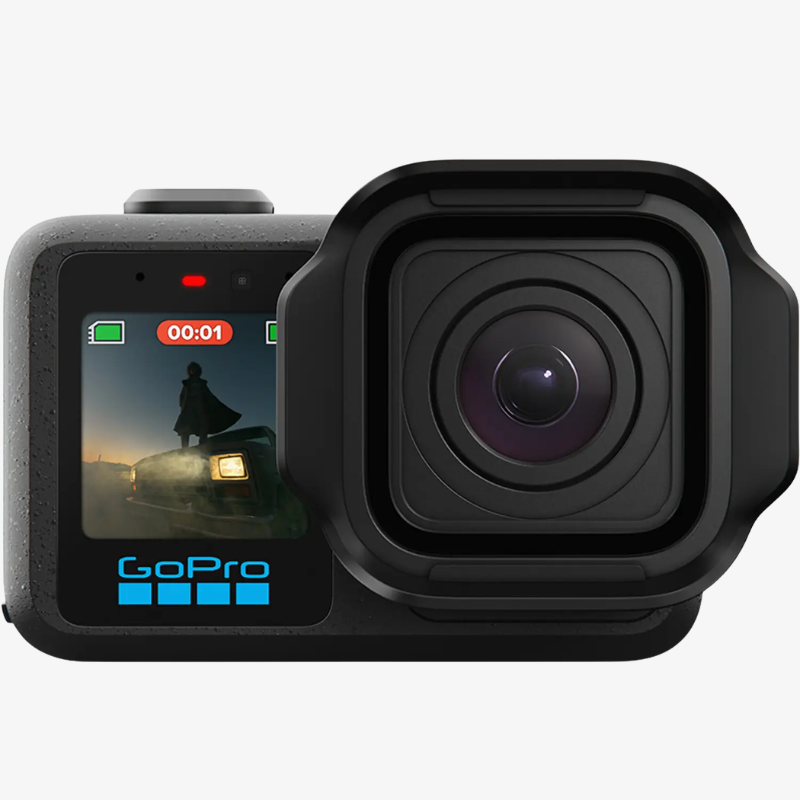
GoPro MISSION 1 Pro
- Product Name: GoPro Mission 1 Pro
- Sensor & Processor: 50MP 1″ Sensor & GP3 Processor
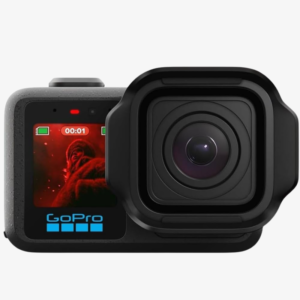
- Lens: Ultra-Wide 159° Fixed Lens
- Video Capture: 8K30 & 4K120 Open Gate (4:3)
- Video Recording: 8K60, 4K240 & 1080p960
- Color & Sync: HDR, 10-Bit, GP-Log2 & Timecode Sync
- Low-Light Performance: Enhanced Low-Light Capture & Dynamic Range
- Audio Recording: 32-Bit Float Audio Recording
- Design & Performance: Waterproof to 66 ft, Larger OLED Display, Improved Runtime & Thermal Performance

Need Help? Chat with an Expert
- 9891098328
Free Shipping & Returns
Assured Quality
Online Support 24/7
Secure Payment
- Description
- Specification
- In The Box
- Reviews (0)
Description
GoPro MISSION 1 Pro
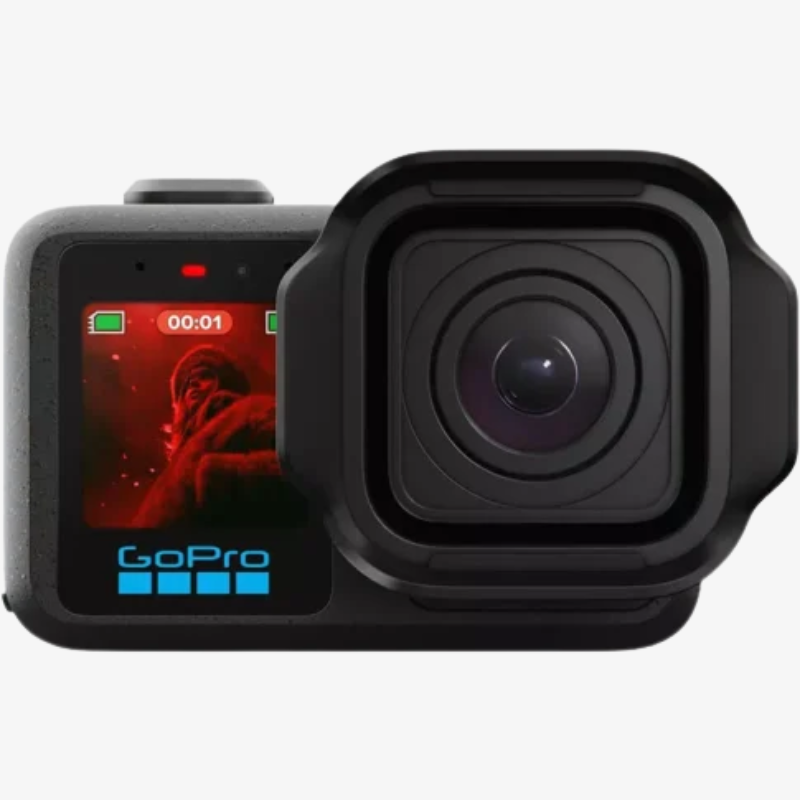
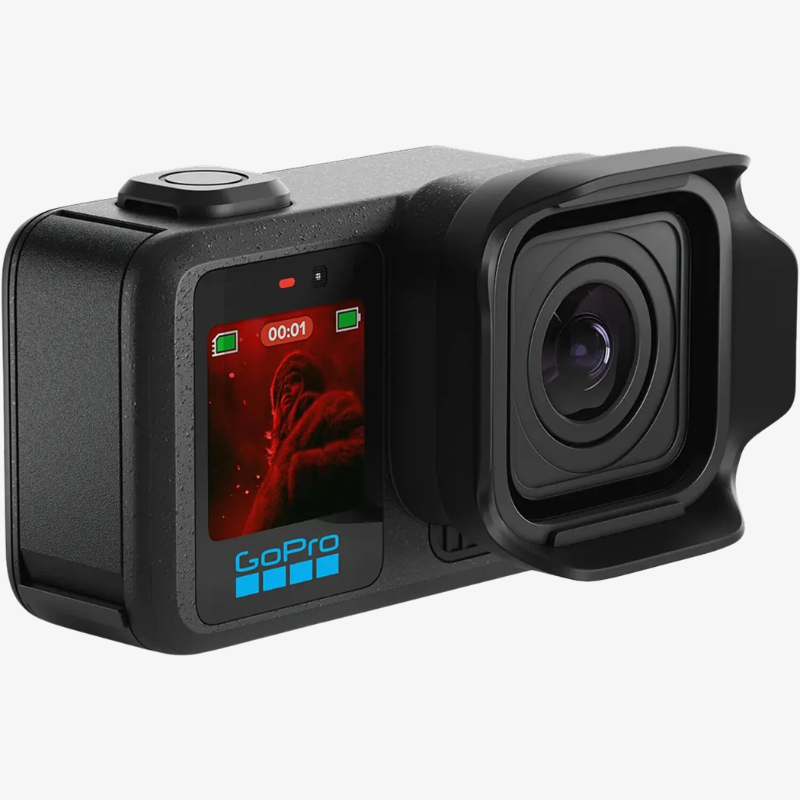
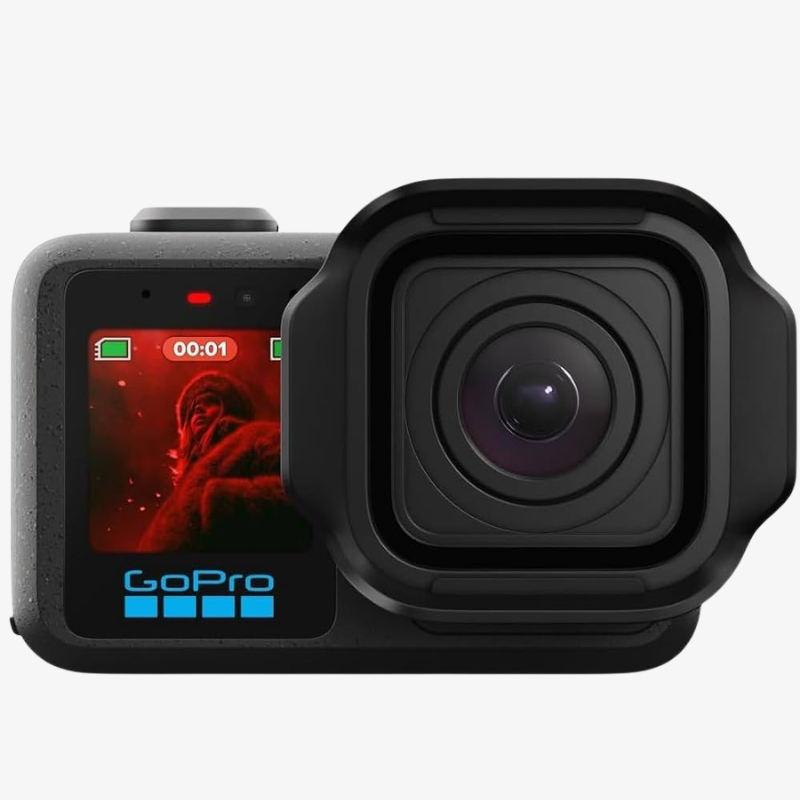
The GoPro MISSION 1 Pro is a professional compact cinema camera designed for creators who demand high-resolution imaging, advanced video recording, professional color control, powerful audio, and rugged performance in a portable body. Featuring a 50MP 1-inch sensor and GP3 image processor, it delivers detailed imagery, enhanced low-light performance, and efficient processing. Its 159° ultra-wide fixed lens provides an expansive perspective, making it ideal for action, travel, landscapes, vlogging, architecture, and immersive cinematic content.
The MISSION 1 Pro supports 8K video recording at up to 60fps, along with 4K at 240fps and 1080p at 960fps for high-speed and slow-motion footage. It also offers 8K30 and 4K120 4:3 Open Gate recording, providing greater flexibility for cropping and reframing footage. With HDR, 10-bit color, GP-Log2, enhanced dynamic range, and timecode synchronization, the camera is designed for professional filmmaking and post-production workflows where precise color control and multi-camera synchronization are important.
For audio and outdoor performance, the MISSION 1 Pro features 32-bit float audio recording, helping provide greater flexibility with changing sound levels. Its rugged waterproof design supports depths of up to 66 feet (20 metres), making it suitable for underwater activities, outdoor adventures, and demanding shooting environments. A larger OLED display provides convenient control and monitoring, while RAW image capture and burst shooting up to 60fps give photographers additional flexibility for capturing detailed and fast-moving subjects.
Key Features
- 50MP 1-Inch Sensor: Captures highly detailed images with enhanced light-gathering capability and improved low-light performance.
- GP3 Image Processor: Delivers powerful and efficient processing for high-resolution imaging and demanding video recording.
- 159° Ultra-Wide Lens: The ultra-wide fixed lens captures an expansive field of view, ideal for action, travel, landscapes, and immersive content.
- 8K60 Video Recording: Records highly detailed 8K video at up to 60fps for smooth and cinematic footage.
- 4K240 & 1080p960 Slow Motion: Captures high-speed action in dramatic slow motion with up to 4K at 240fps and 1080p at 960fps.
- 4:3 Open Gate Recording: Supports 8K30 and 4K120 Open Gate capture for greater flexibility when cropping and reframing footage.
- 10-Bit & GP-Log2: Provides professional color depth and a Log profile for greater control during color grading and post-production.
- HDR Video Recording: Enhances dynamic range and helps preserve detail across bright highlights and darker areas.
- Timecode Synchronization: Enables accurate synchronization of footage from multiple cameras for professional filmmaking and multi-camera productions.
- 32-Bit Float Audio: Provides greater audio headroom and flexibility when recording environments with changing sound levels.
- 20M Waterproof Design: Waterproof up to 66 feet (20m), making it suitable for underwater activities, water sports, and outdoor adventures.
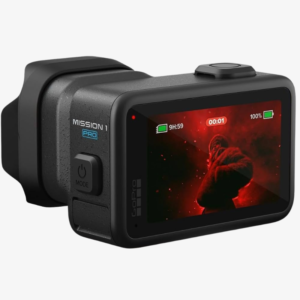
- Larger OLED Display: Provides a clearer viewing and control experience for framing shots, reviewing footage, and adjusting settings.
- RAW & 60fps Burst Photography: Supports RAW image capture and burst shooting up to 60fps for detailed photos and fast-moving subjects.
How to Use the GoPro MISSION 1 Pro
1. Charge the Camera
Fully charge the camera battery before starting an extended shooting session to ensure reliable operation.
2. Insert a Compatible Memory Card
Insert a suitable high-speed memory card with enough storage capacity for demanding formats such as 8K60 and high-frame-rate recording.
3. Power On the Camera
Turn on the MISSION 1 Pro and use the OLED display to access recording modes, camera settings, and shooting options.
4. Select Your Recording Resolution
Choose 8K60 for maximum resolution and smooth motion, 4K240 for high-quality slow motion, or 1080p960 for extreme slow-motion capture.
5. Select Open Gate Mode
Use 8K30 or 4K120 Open Gate in 4:3 format when you need additional flexibility for reframing and creating different aspect ratios.
6. Adjust Color Settings
Select HDR, 10-bit, or GP-Log2 according to your production and post-production requirements.
7. Frame Your Shot
Use the 159° ultra-wide lens to capture a broad perspective and compose your scene according to the desired cinematic look.
8. Set Up Audio
Use the integrated 32-bit float audio system when recording directly with the camera and ensure your audio settings match the shooting environment.
How to Take Care of the MISSION 1 Pro
1. Protect the Lens
Clean the ultra-wide lens gently using a soft microfiber lens cloth to remove fingerprints, dust, and smudges.
2. Keep the Camera Clean
Remove dirt, sand, dust, and moisture from the camera body after outdoor use.
3. Rinse After Water Exposure
After use in saltwater or other wet environments, carefully rinse the exterior with clean fresh water and dry the camera thoroughly.
4. Check Waterproof Seals
Before underwater use, ensure that all relevant covers and seals are properly closed and free from dirt or debris.
5. Avoid Extreme Temperatures
Protect the camera and battery from excessive heat, prolonged direct sunlight, and extremely cold environments.
6. Store in a Protective Case
Keep the MISSION 1 Pro in a suitable protective case when not in use to reduce the risk of scratches, dust, and accidental impact.
7. Handle the Display Carefully
Avoid applying excessive pressure to the OLED display and keep it protected from sharp objects and abrasive surfaces.
8. Back Up Important Footage
Regularly transfer important RAW photos and high-resolution videos to another storage device to prevent accidental data loss.
Why Choose the GoPro MISSION 1 Pro?
1. 50MP 1-Inch Sensor
Capture highly detailed photographs and video with a large 50MP 1-inch sensor designed for advanced image quality.
2. Professional 8K60 Recording
Record highly detailed 8K video at up to 60fps for cinematic productions and high-resolution content creation.
3. Ultra-Wide 159° Perspective
Capture expansive scenes with the ultra-wide fixed lens, ideal for action, travel, landscapes, and immersive content.
4. Advanced Open Gate Capture
8K30 and 4K120 4:3 Open Gate recording provides greater flexibility for reframing footage across different formats.
5. Professional Color Workflow
HDR, 10-bit color, and GP-Log2 provide greater flexibility for professional editing and color grading.
6. High-Speed Slow Motion
With 4K240 and 1080p960 recording, the camera can capture fast-moving subjects and dramatic slow-motion footage.
7. Advanced Audio Recording
32-bit float audio provides greater flexibility for recording high-quality sound across changing audio environments.
8. RAW & 60fps Burst Photography
RAW image capture and burst shooting up to 60fps provide additional options for professional photography and fast-action subjects.
| Specification | Details |
|---|---|
| Product Name | GoPro Mission 1 Pro |
| Sensor | 50MP 1″ Sensor |
| Processor | GP3 Image Processor |
| Lens Type | Ultra-Wide Fixed Lens |
| Field of View | 159° Ultra-Wide Viewing Angle |
| Open Gate Capture | 8K30 & 4K120 Open Gate (4:3) |
| 8K Video | Up to 8K at 60fps |
| 4K Video | Up to 4K at 240fps |
| 1080p Video | Up to 1080p at 960fps |
| HDR Recording | High Dynamic Range Video Support |
| Color Depth | 10-Bit Color Recording |
| Log Profile | GP-Log2 for Professional Color Grading |
| Timecode | Timecode Synchronization Support |
| Low-Light Performance | Enhanced Low-Light Capture |
| Dynamic Range | Improved Dynamic Range for Detailed Highlights & Shadows |
| Audio Recording | 32-Bit Float Audio Recording |
| Water Resistance | Waterproof up to 66 ft (20m) |
| Display | Larger OLED Display |
| Photo Capture | RAW Image Capture & Burst Shooting up to 60fps |
- MISSION 1 PRO Camera
- Enduro 2 Battery
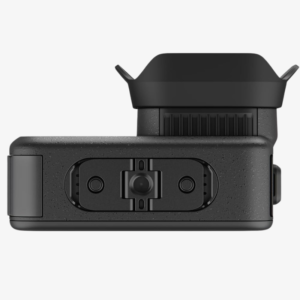
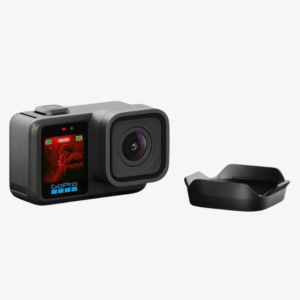
- Removable Lens Hood
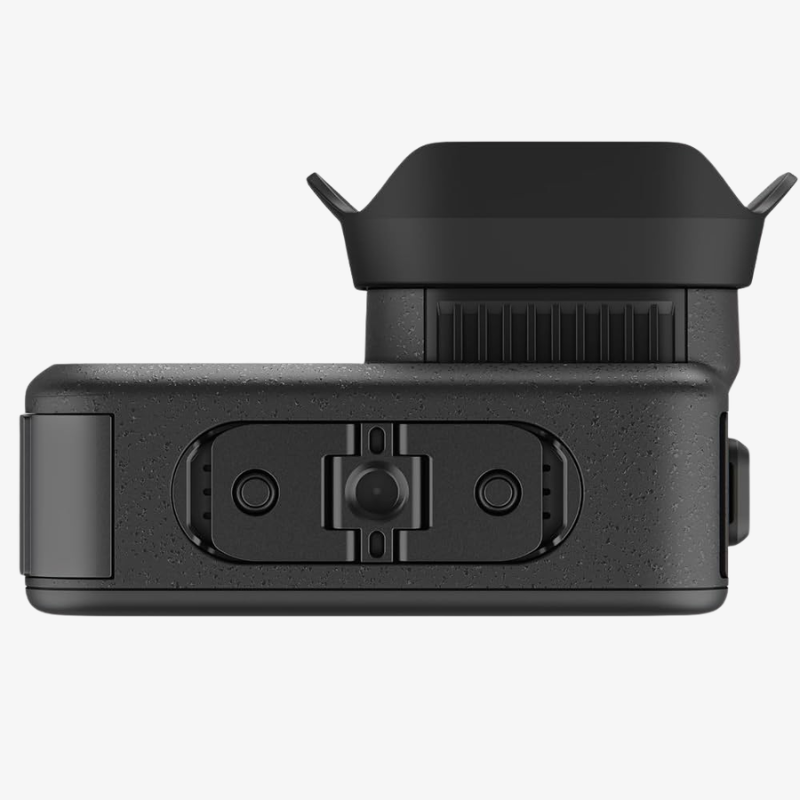
- Curved Adhesive Mount
- Mounting Buckle + Thumb Screw
- USB-C Cable
- Stickers (4x)
Be the first to review “GoPro MISSION 1 Pro” Cancel reply
Overview
GoPro MISSION 1 Pro
The GoPro MISSION 1 Pro is a professional compact cinema camera designed for creators who demand high-resolution imaging, advanced video recording, professional color control, powerful audio, and rugged performance in a portable body. Featuring a 50MP 1-inch sensor and GP3 image processor, it delivers detailed imagery, enhanced low-light performance, and efficient processing. Its 159° ultra-wide fixed lens provides an expansive perspective, making it ideal for action, travel, landscapes, vlogging, architecture, and immersive cinematic content.
The MISSION 1 Pro supports 8K video recording at up to 60fps, along with 4K at 240fps and 1080p at 960fps for high-speed and slow-motion footage. It also offers 8K30 and 4K120 4:3 Open Gate recording, providing greater flexibility for cropping and reframing footage. With HDR, 10-bit color, GP-Log2, enhanced dynamic range, and timecode synchronization, the camera is designed for professional filmmaking and post-production workflows where precise color control and multi-camera synchronization are important.
For audio and outdoor performance, the MISSION 1 Pro features 32-bit float audio recording, helping provide greater flexibility with changing sound levels. Its rugged waterproof design supports depths of up to 66 feet (20 metres), making it suitable for underwater activities, outdoor adventures, and demanding shooting environments. A larger OLED display provides convenient control and monitoring, while RAW image capture and burst shooting up to 60fps give photographers additional flexibility for capturing detailed and fast-moving subjects.
Key Features
- 50MP 1-Inch Sensor: Captures highly detailed images with enhanced light-gathering capability and improved low-light performance.
- GP3 Image Processor: Delivers powerful and efficient processing for high-resolution imaging and demanding video recording.
- 159° Ultra-Wide Lens: The ultra-wide fixed lens captures an expansive field of view, ideal for action, travel, landscapes, and immersive content.
- 8K60 Video Recording: Records highly detailed 8K video at up to 60fps for smooth and cinematic footage.
- 4K240 & 1080p960 Slow Motion: Captures high-speed action in dramatic slow motion with up to 4K at 240fps and 1080p at 960fps.
- 4:3 Open Gate Recording: Supports 8K30 and 4K120 Open Gate capture for greater flexibility when cropping and reframing footage.
- 10-Bit & GP-Log2: Provides professional color depth and a Log profile for greater control during color grading and post-production.
- HDR Video Recording: Enhances dynamic range and helps preserve detail across bright highlights and darker areas.
- Timecode Synchronization: Enables accurate synchronization of footage from multiple cameras for professional filmmaking and multi-camera productions.
- 32-Bit Float Audio: Provides greater audio headroom and flexibility when recording environments with changing sound levels.
- 20M Waterproof Design: Waterproof up to 66 feet (20m), making it suitable for underwater activities, water sports, and outdoor adventures.
- Larger OLED Display: Provides a clearer viewing and control experience for framing shots, reviewing footage, and adjusting settings.
- RAW & 60fps Burst Photography: Supports RAW image capture and burst shooting up to 60fps for detailed photos and fast-moving subjects.
How to Use the GoPro MISSION 1 Pro
1. Charge the Camera
Fully charge the camera battery before starting an extended shooting session to ensure reliable operation.
2. Insert a Compatible Memory Card
Insert a suitable high-speed memory card with enough storage capacity for demanding formats such as 8K60 and high-frame-rate recording.
3. Power On the Camera
Turn on the MISSION 1 Pro and use the OLED display to access recording modes, camera settings, and shooting options.
4. Select Your Recording Resolution
Choose 8K60 for maximum resolution and smooth motion, 4K240 for high-quality slow motion, or 1080p960 for extreme slow-motion capture.
5. Select Open Gate Mode
Use 8K30 or 4K120 Open Gate in 4:3 format when you need additional flexibility for reframing and creating different aspect ratios.
6. Adjust Color Settings
Select HDR, 10-bit, or GP-Log2 according to your production and post-production requirements.
7. Frame Your Shot
Use the 159° ultra-wide lens to capture a broad perspective and compose your scene according to the desired cinematic look.
8. Set Up Audio
Use the integrated 32-bit float audio system when recording directly with the camera and ensure your audio settings match the shooting environment.
How to Take Care of the MISSION 1 Pro
1. Protect the Lens
Clean the ultra-wide lens gently using a soft microfiber lens cloth to remove fingerprints, dust, and smudges.
2. Keep the Camera Clean
Remove dirt, sand, dust, and moisture from the camera body after outdoor use.
3. Rinse After Water Exposure
After use in saltwater or other wet environments, carefully rinse the exterior with clean fresh water and dry the camera thoroughly.
4. Check Waterproof Seals
Before underwater use, ensure that all relevant covers and seals are properly closed and free from dirt or debris.
5. Avoid Extreme Temperatures
Protect the camera and battery from excessive heat, prolonged direct sunlight, and extremely cold environments.
6. Store in a Protective Case
Keep the MISSION 1 Pro in a suitable protective case when not in use to reduce the risk of scratches, dust, and accidental impact.
7. Handle the Display Carefully
Avoid applying excessive pressure to the OLED display and keep it protected from sharp objects and abrasive surfaces.
8. Back Up Important Footage
Regularly transfer important RAW photos and high-resolution videos to another storage device to prevent accidental data loss.
Why Choose the GoPro MISSION 1 Pro?
1. 50MP 1-Inch Sensor
Capture highly detailed photographs and video with a large 50MP 1-inch sensor designed for advanced image quality.
2. Professional 8K60 Recording
Record highly detailed 8K video at up to 60fps for cinematic productions and high-resolution content creation.
3. Ultra-Wide 159° Perspective
Capture expansive scenes with the ultra-wide fixed lens, ideal for action, travel, landscapes, and immersive content.
4. Advanced Open Gate Capture
8K30 and 4K120 4:3 Open Gate recording provides greater flexibility for reframing footage across different formats.
5. Professional Color Workflow
HDR, 10-bit color, and GP-Log2 provide greater flexibility for professional editing and color grading.
6. High-Speed Slow Motion
With 4K240 and 1080p960 recording, the camera can capture fast-moving subjects and dramatic slow-motion footage.
7. Advanced Audio Recording
32-bit float audio provides greater flexibility for recording high-quality sound across changing audio environments.
8. RAW & 60fps Burst Photography
RAW image capture and burst shooting up to 60fps provide additional options for professional photography and fast-action subjects.



Reviews
There are no reviews yet.