





GoPro MISSION 1 PRO Compact Cinema Camera Grip Edition
- Product Name: GoPro Mission 1 Pro Compact Cinema Camera Grip Edition
- Sensor & Processor: 50MP 1″ Sensor with GP3 Processor
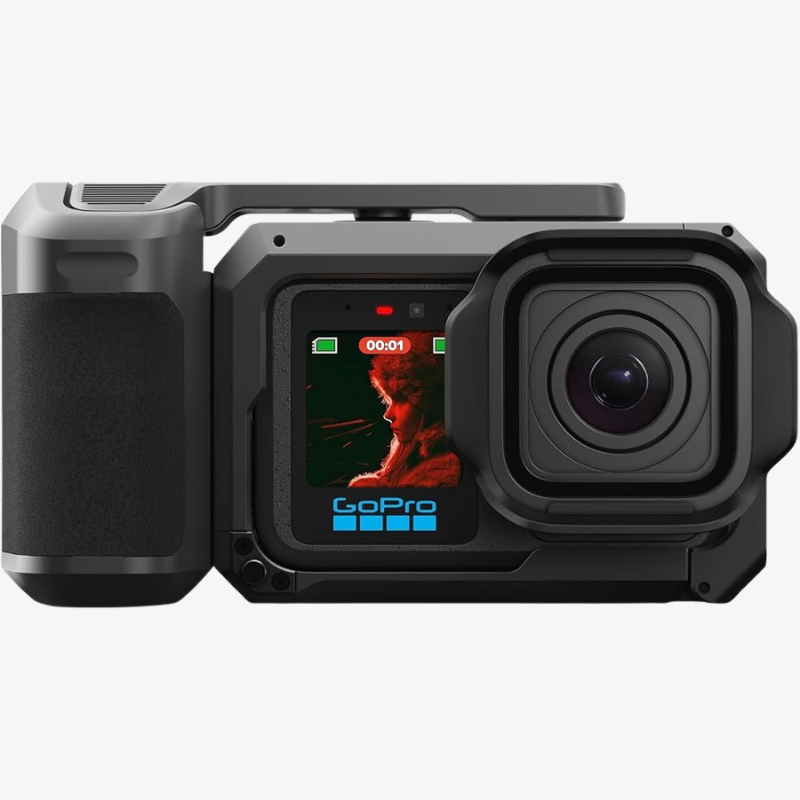
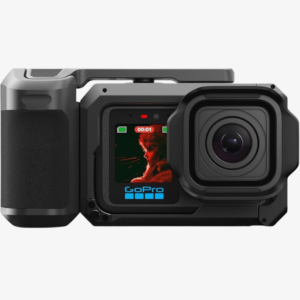
- Lens & Design: Ultra-Wide 159° Fixed Lens with Integrated Grip
- Video Recording: 8K60, 8K30, 4K240, 4K120, and 1080p960 Video Recording
- Open Gate Capture: 4:3 Open Gate Recording up to 4K120
- Color & Image Quality: HDR, 10-Bit, GP-Log2, Enhanced Low-Light Performance, and Improved Dynamic Range
- Audio & Synchronization: 32-Bit Float Audio Recording with Timecode Sync
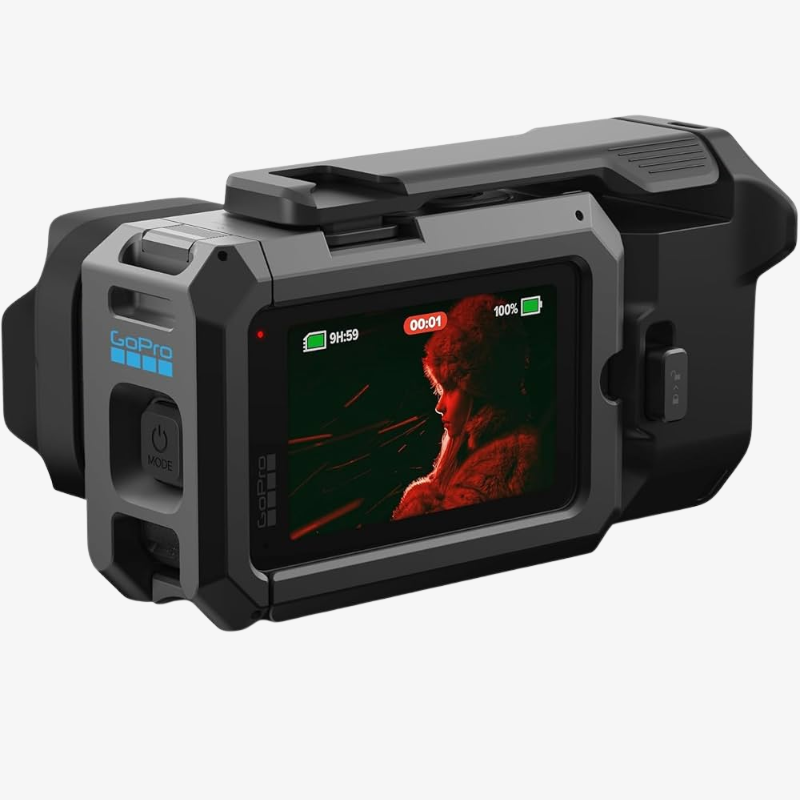
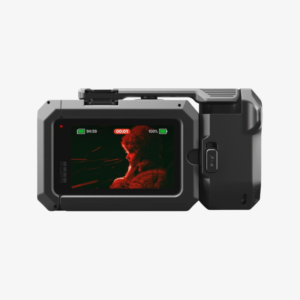
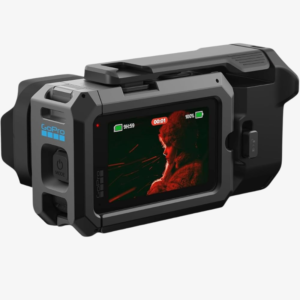
- Build & Display: Waterproof up to 66 ft with a Larger OLED Display
- Performance & Imaging: Improved Runtime and Thermal Performance with RAW Image Capture and Burst Shooting up to 60 fps

Need Help? Chat with an Expert
- 9891098328
Free Shipping & Returns
Assured Quality
Online Support 24/7
Secure Payment
- Description
- Specification
- In The Box
- Reviews (0)
Description
GoPro MISSION 1 PRO Compact Cinema Camera Grip Edition
The GoPro MISSION 1 PRO Compact Cinema Camera Grip Edition is a professional compact cinema camera designed for creators who demand high-resolution imaging, advanced video capabilities, powerful audio recording, and rugged performance in a compact body. Built around a 50MP 1-inch sensor and GP3 processor, the MISSION 1 PRO delivers highly detailed images, enhanced low-light performance, and improved processing efficiency for demanding cinematic workflows.
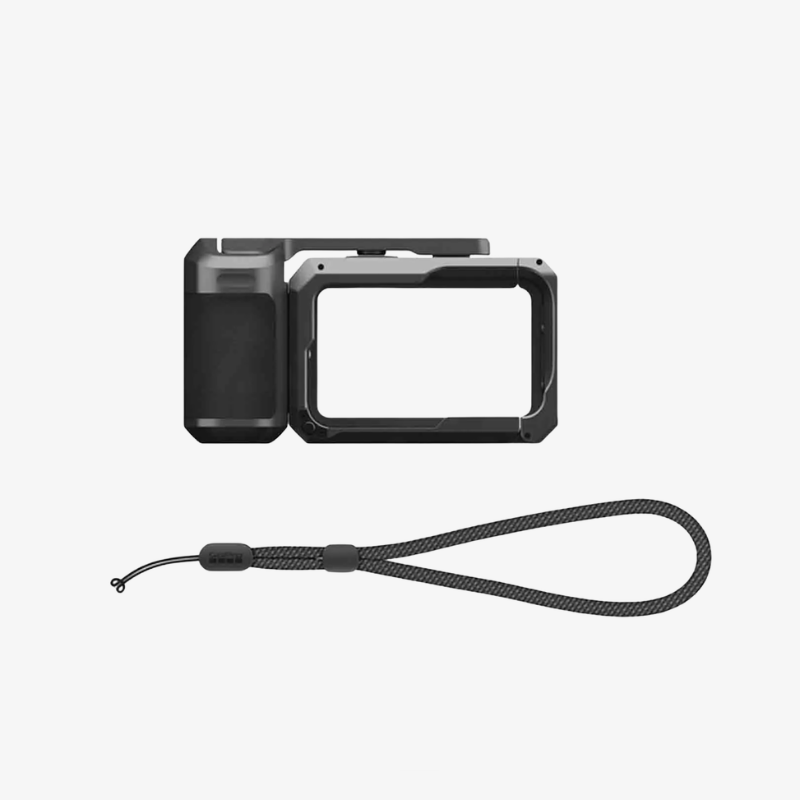
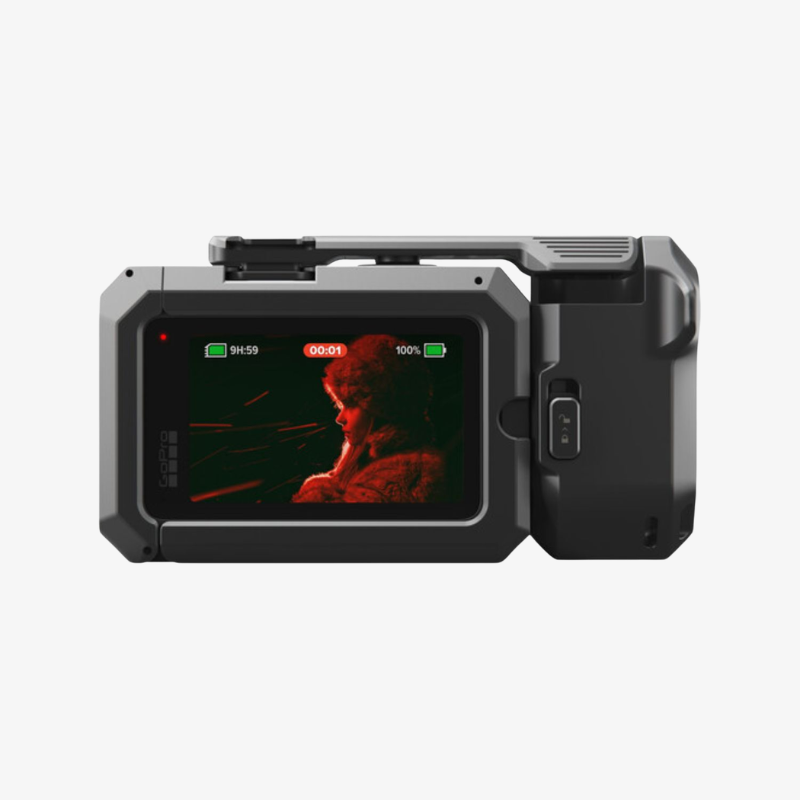
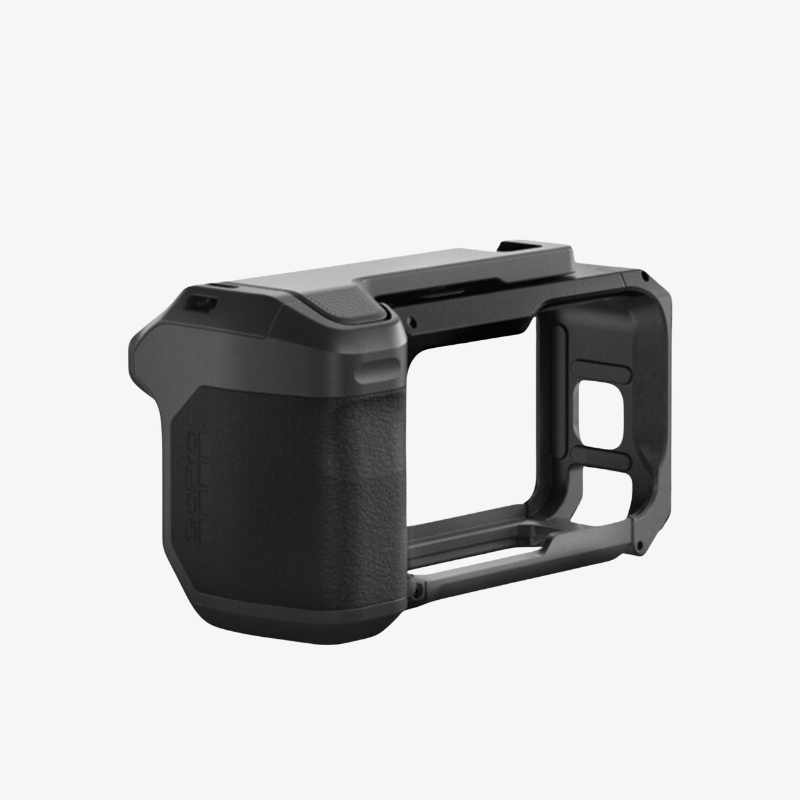
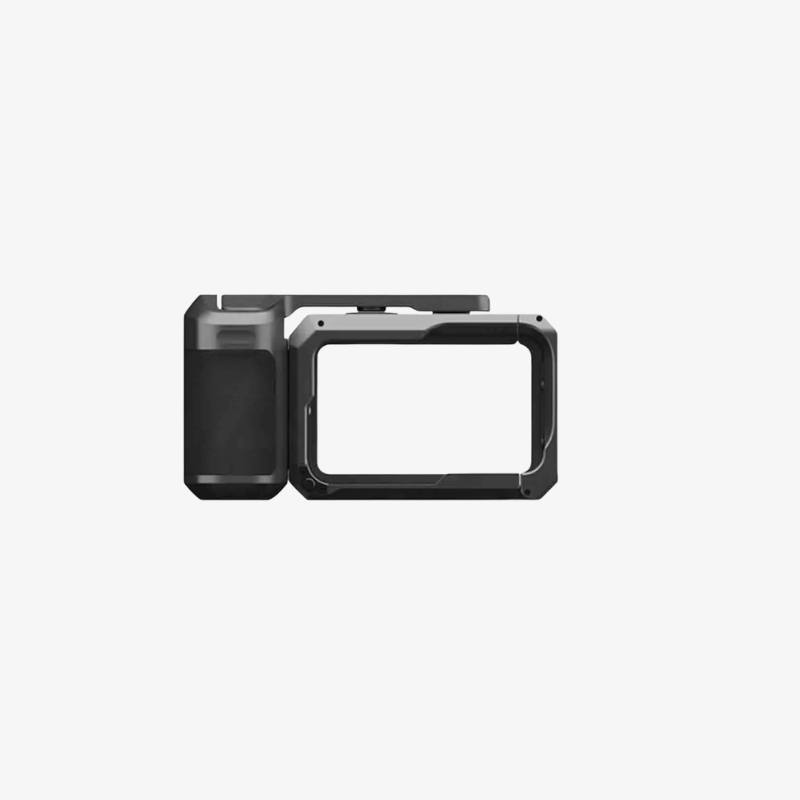
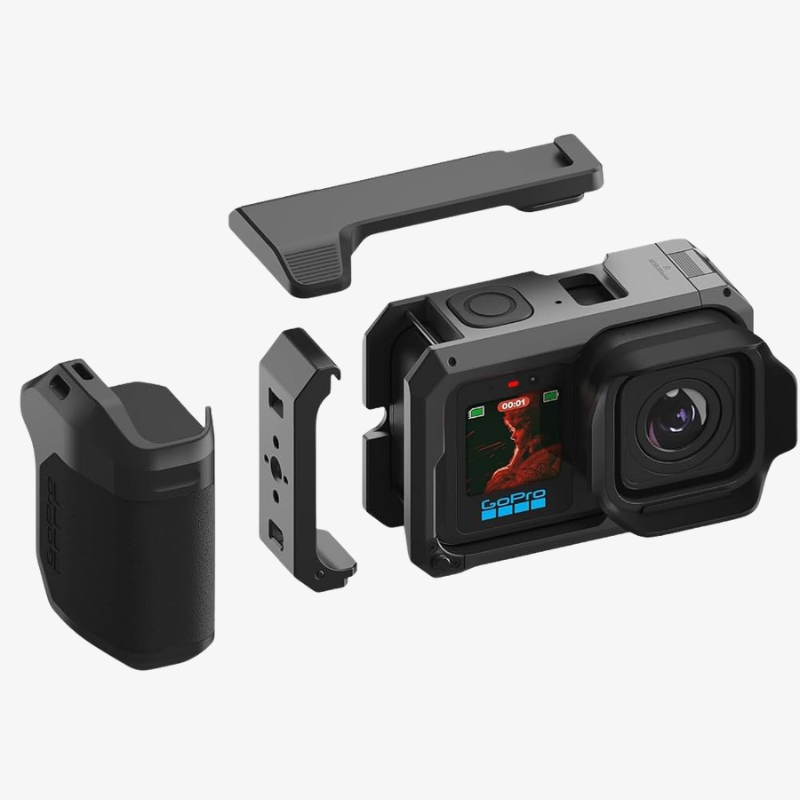
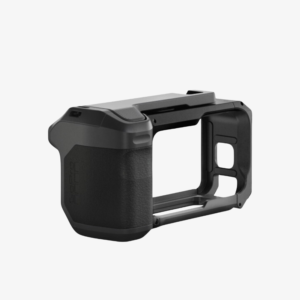
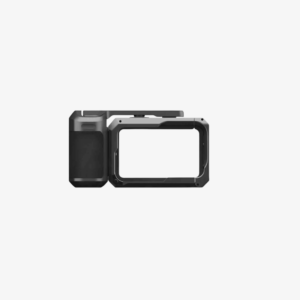
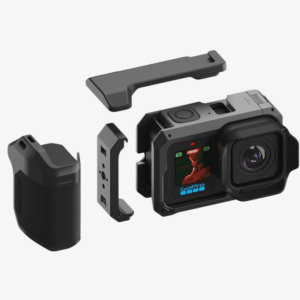
The Grip Edition adds a dedicated 2-in-1 Point-and-Shoot Grip that provides comfortable one-handed operation while also functioning as a protective camera cage. With multiple mounting options, creators can easily attach accessories and build a versatile camera rig for filmmaking, vlogging, travel, action, and professional content creation.
The camera supports advanced recording formats including 8K60, 4K240, and 1080p960, along with 4:3 Open Gate recording up to 8K60 and 4K120. Its ultra-wide 159° fixed lens, HDR, 10-bit color, GP-Log2, and up to 14 stops of dynamic range provide greater creative flexibility for both shooting and post-production.
Key Features –
- 50MP 1-Inch Sensor: Captures highly detailed photos and videos with enhanced low-light performance and dynamic range.
- GP3 Processor: Provides powerful image processing with improved performance for demanding high-resolution recording.
- 8K60 Cinematic Video: Records detailed 8K footage at up to 60fps for professional-looking cinematic content.
- 4K240 & 1080p960 Slow Motion: Enables high-frame-rate recording for smooth and detailed slow-motion footage.
- 4:3 Open Gate Recording: Supports Open Gate capture for greater flexibility when reframing footage during editing.
- 10-Bit, HDR & GP-Log2: Delivers greater color information and flexibility for professional color grading and post-production.
- 159° Ultra-Wide Lens: Provides a wide perspective ideal for action, travel, landscapes, and immersive content.
- 32-Bit Float Audio: Four built-in microphones provide advanced audio capture with greater protection against clipping.
- 2-in-1 Point-and-Shoot Grip: Combines an ergonomic handgrip with a rugged metal cage and multiple accessory mounting options.
- 66 ft Waterproof Design: Rugged construction allows underwater shooting up to 66 feet when used according to waterproofing requirements.
How to Use the GoPro MISSION 1 PRO
1. Charge the Camera Before Use
Fully charge the camera battery before starting a long recording session. Using a suitable USB-C charging solution helps ensure reliable operation during extended shooting.
2. Insert a Compatible Memory Card
Insert a compatible high-speed memory card when additional storage is required. High-resolution formats such as 8K require sufficient storage capacity and appropriate write speeds.
3. Attach the Point-and-Shoot Grip
Secure the included grip to the camera and ensure the connection is properly locked. The grip can be used for comfortable one-handed operation or as part of a larger camera rig.
4. Power On the Camera
Turn on the MISSION 1 PRO and use the OLED display to access camera settings, capture modes, and recording options.
5. Select Your Recording Mode
Choose the appropriate resolution and frame rate according to your project. Use 8K for maximum detail, high-frame-rate modes for slow motion, or Open Gate when additional reframing flexibility is required.
6. Adjust Color and Image Settings
For professional workflows, select HDR, 10-bit, or GP-Log2 according to your editing requirements. Make sure your chosen settings match the workflow you plan to use during post-production.
7. Frame Your Shot
Use the camera’s wide 159° field of view to compose your scene. The ultra-wide perspective is especially useful for action, travel, landscape, and vlog-style footage.
How to Take Care of the MISSION 1 PRO
1. Protect the Lens
The fixed ultra-wide lens is an important part of the camera system. Clean it gently with a soft microfiber lens cloth and avoid touching the lens surface unnecessarily.
2. Keep the Camera Clean
Remove dust, dirt, sand, and moisture from the camera and grip after outdoor use. Avoid using abrasive materials that could damage the display or camera body.
3. Rinse After Water Exposure
After underwater or saltwater use, carefully rinse the exterior with clean fresh water and dry the camera thoroughly before opening any covers or accessing ports.
4. Check Waterproof Seals
Before exposing the camera to water, make sure all relevant covers, doors, and seals are properly closed and free from dirt or debris.
5. Avoid Extreme Temperatures
Do not leave the camera exposed to excessive heat, direct sunlight for extended periods, or extremely cold conditions. Extreme temperatures can affect battery performance and camera operation.
6. Store in a Protective Case
When not in use, store the camera and grip in a suitable protective case to reduce the risk of scratches, dust accumulation, and accidental impact.
7. Handle Ports Carefully
Insert and remove USB-C cables and memory cards carefully. Avoid applying excessive force to ports, covers, or connectors.
8. Back Up Important Files
Regularly transfer important photos and videos to another storage device. This helps protect valuable footage against accidental deletion, card failure, or other data loss.
Why Choose the GoPro MISSION 1 PRO Grip Edition?
1. Professional 8K Recording
Capture highly detailed cinematic footage with advanced 8K recording capabilities and multiple high-frame-rate options.
2. Large 50MP 1-Inch Sensor
The large sensor provides detailed imagery and enhanced performance in challenging lighting conditions.
3. Ultra-Wide 159° Perspective
The 14mm fixed lens captures a broad field of view that works particularly well for action, travel, landscapes, and vlogging.
4. Advanced Open Gate Capture
4:3 Open Gate recording provides additional flexibility for reframing footage and creating content for different platforms.
5. Professional Color Workflow
10-bit recording, HDR, GP-Log2, and up to 14 stops of dynamic range provide greater flexibility for professional editing and color grading.
6. Versatile Grip System
The 2-in-1 grip combines comfortable handheld shooting with a rugged cage and multiple accessory mounting options.
7. Advanced Audio Recording
Four microphones, wind-noise reduction, and 32-bit float recording provide a powerful integrated audio solution.
8. Rugged Waterproof Construction
With waterproof protection up to 66 feet, the camera is built for a wide range of outdoor and water-based shooting environments.
| Specification | Details |
|---|---|
| Product Name | GoPro Mission 1 Pro Compact Cinema Camera Grip Edition |
| Sensor | 50MP 1-inch Sensor |
| Processor | GP3 Processor |
| Lens | Ultra-Wide 159° Fixed Lens |
| Camera Design | Compact Cinema Camera with Integrated Grip |
| Maximum Video Resolution | Up to 8K Video Recording |
| 8K Recording | 8K at up to 60fps |
| Open Gate Recording | 4:3 Open Gate Capture up to 4K120 |
| 4K Recording | 4K at up to 240fps |
| Slow-Motion Recording | 1080p at up to 960fps |
| HDR Support | HDR Video Recording for Enhanced Highlights and Shadows |
| Color Depth | 10-Bit Video Recording |
| Log Profile | GP-Log2 for Greater Color-Grading Flexibility |
| Timecode Sync | Built-in Timecode Synchronization for Multi-Camera Workflows |
| Low-Light Performance | Enhanced Low-Light Capture with Improved Dynamic Range |
| Audio Recording | 32-Bit Float Audio Recording |
| Display & Durability | Larger OLED Display with Waterproofing up to 66 ft |
| Battery & Thermal Performance | Improved Runtime and Enhanced Thermal Performance |
| Photo & Burst Capture | RAW Image Capture with Burst Shooting up to 60fps |
- GoPro MISSION 1 PRO Compact Cinema Camera Grip Edition
- GoPro Point-and-Shoot Grip for MISSION 1 Series
Be the first to review “GoPro MISSION 1 PRO Compact Cinema Camera Grip Edition” Cancel reply
Overview
GoPro MISSION 1 PRO Compact Cinema Camera Grip Edition
The GoPro MISSION 1 PRO Compact Cinema Camera Grip Edition is a professional compact cinema camera designed for creators who demand high-resolution imaging, advanced video capabilities, powerful audio recording, and rugged performance in a compact body. Built around a 50MP 1-inch sensor and GP3 processor, the MISSION 1 PRO delivers highly detailed images, enhanced low-light performance, and improved processing efficiency for demanding cinematic workflows.
The Grip Edition adds a dedicated 2-in-1 Point-and-Shoot Grip that provides comfortable one-handed operation while also functioning as a protective camera cage. With multiple mounting options, creators can easily attach accessories and build a versatile camera rig for filmmaking, vlogging, travel, action, and professional content creation.
The camera supports advanced recording formats including 8K60, 4K240, and 1080p960, along with 4:3 Open Gate recording up to 8K60 and 4K120. Its ultra-wide 159° fixed lens, HDR, 10-bit color, GP-Log2, and up to 14 stops of dynamic range provide greater creative flexibility for both shooting and post-production.
Key Features –
- 50MP 1-Inch Sensor: Captures highly detailed photos and videos with enhanced low-light performance and dynamic range.
- GP3 Processor: Provides powerful image processing with improved performance for demanding high-resolution recording.
- 8K60 Cinematic Video: Records detailed 8K footage at up to 60fps for professional-looking cinematic content.
- 4K240 & 1080p960 Slow Motion: Enables high-frame-rate recording for smooth and detailed slow-motion footage.
- 4:3 Open Gate Recording: Supports Open Gate capture for greater flexibility when reframing footage during editing.
- 10-Bit, HDR & GP-Log2: Delivers greater color information and flexibility for professional color grading and post-production.
- 159° Ultra-Wide Lens: Provides a wide perspective ideal for action, travel, landscapes, and immersive content.
- 32-Bit Float Audio: Four built-in microphones provide advanced audio capture with greater protection against clipping.
- 2-in-1 Point-and-Shoot Grip: Combines an ergonomic handgrip with a rugged metal cage and multiple accessory mounting options.
- 66 ft Waterproof Design: Rugged construction allows underwater shooting up to 66 feet when used according to waterproofing requirements.
How to Use the GoPro MISSION 1 PRO
1. Charge the Camera Before Use
Fully charge the camera battery before starting a long recording session. Using a suitable USB-C charging solution helps ensure reliable operation during extended shooting.
2. Insert a Compatible Memory Card
Insert a compatible high-speed memory card when additional storage is required. High-resolution formats such as 8K require sufficient storage capacity and appropriate write speeds.
3. Attach the Point-and-Shoot Grip
Secure the included grip to the camera and ensure the connection is properly locked. The grip can be used for comfortable one-handed operation or as part of a larger camera rig.
4. Power On the Camera
Turn on the MISSION 1 PRO and use the OLED display to access camera settings, capture modes, and recording options.
5. Select Your Recording Mode
Choose the appropriate resolution and frame rate according to your project. Use 8K for maximum detail, high-frame-rate modes for slow motion, or Open Gate when additional reframing flexibility is required.
6. Adjust Color and Image Settings
For professional workflows, select HDR, 10-bit, or GP-Log2 according to your editing requirements. Make sure your chosen settings match the workflow you plan to use during post-production.
7. Frame Your Shot
Use the camera’s wide 159° field of view to compose your scene. The ultra-wide perspective is especially useful for action, travel, landscape, and vlog-style footage.
How to Take Care of the MISSION 1 PRO
1. Protect the Lens
The fixed ultra-wide lens is an important part of the camera system. Clean it gently with a soft microfiber lens cloth and avoid touching the lens surface unnecessarily.
2. Keep the Camera Clean
Remove dust, dirt, sand, and moisture from the camera and grip after outdoor use. Avoid using abrasive materials that could damage the display or camera body.
3. Rinse After Water Exposure
After underwater or saltwater use, carefully rinse the exterior with clean fresh water and dry the camera thoroughly before opening any covers or accessing ports.
4. Check Waterproof Seals
Before exposing the camera to water, make sure all relevant covers, doors, and seals are properly closed and free from dirt or debris.
5. Avoid Extreme Temperatures
Do not leave the camera exposed to excessive heat, direct sunlight for extended periods, or extremely cold conditions. Extreme temperatures can affect battery performance and camera operation.
6. Store in a Protective Case
When not in use, store the camera and grip in a suitable protective case to reduce the risk of scratches, dust accumulation, and accidental impact.
7. Handle Ports Carefully
Insert and remove USB-C cables and memory cards carefully. Avoid applying excessive force to ports, covers, or connectors.
8. Back Up Important Files
Regularly transfer important photos and videos to another storage device. This helps protect valuable footage against accidental deletion, card failure, or other data loss.
Why Choose the GoPro MISSION 1 PRO Grip Edition?
1. Professional 8K Recording
Capture highly detailed cinematic footage with advanced 8K recording capabilities and multiple high-frame-rate options.
2. Large 50MP 1-Inch Sensor
The large sensor provides detailed imagery and enhanced performance in challenging lighting conditions.
3. Ultra-Wide 159° Perspective
The 14mm fixed lens captures a broad field of view that works particularly well for action, travel, landscapes, and vlogging.
4. Advanced Open Gate Capture
4:3 Open Gate recording provides additional flexibility for reframing footage and creating content for different platforms.
5. Professional Color Workflow
10-bit recording, HDR, GP-Log2, and up to 14 stops of dynamic range provide greater flexibility for professional editing and color grading.
6. Versatile Grip System
The 2-in-1 grip combines comfortable handheld shooting with a rugged cage and multiple accessory mounting options.
7. Advanced Audio Recording
Four microphones, wind-noise reduction, and 32-bit float recording provide a powerful integrated audio solution.
8. Rugged Waterproof Construction
With waterproof protection up to 66 feet, the camera is built for a wide range of outdoor and water-based shooting environments.
Details
Reviews
There are no reviews yet.



Reviews
There are no reviews yet.